Ctrl+F doesn't work on your brain. Now it works on your chat history.
Your team has done months of work with AI assistants. None of it is searchable, until now.
Note 1 — start here
npx chat-recall initThis is the whole setup. It reads what your assistants already wrote, removes passwords before anything leaves your computer, and signs you in from the terminal — there is nothing to create first. What we receive →
How it works, step-by-step
Fig. 1 — general assembly
Steps 1–3 happen on your computer
Fig. 1 — general assembly
01
Your conversations
Everything your assistants already wrote down: the chats, the plans, the task lists and the notes.
●●●●●
across five AI coding tools
02
Passwords removed
Taken out before anything leaves your computer. We only ever see the last few characters.
sk-live-9f4Ab2TcQ1xZ7eK0********************7eK0
03
One searchable history
Everything in one place, searchable the moment it arrives.
Steps 1–3 happen on your computer
In more detail
how it works · what your assistant can ask
What you see when a key leaks
Fig. 2 — leaked keysHidden before it reaches us
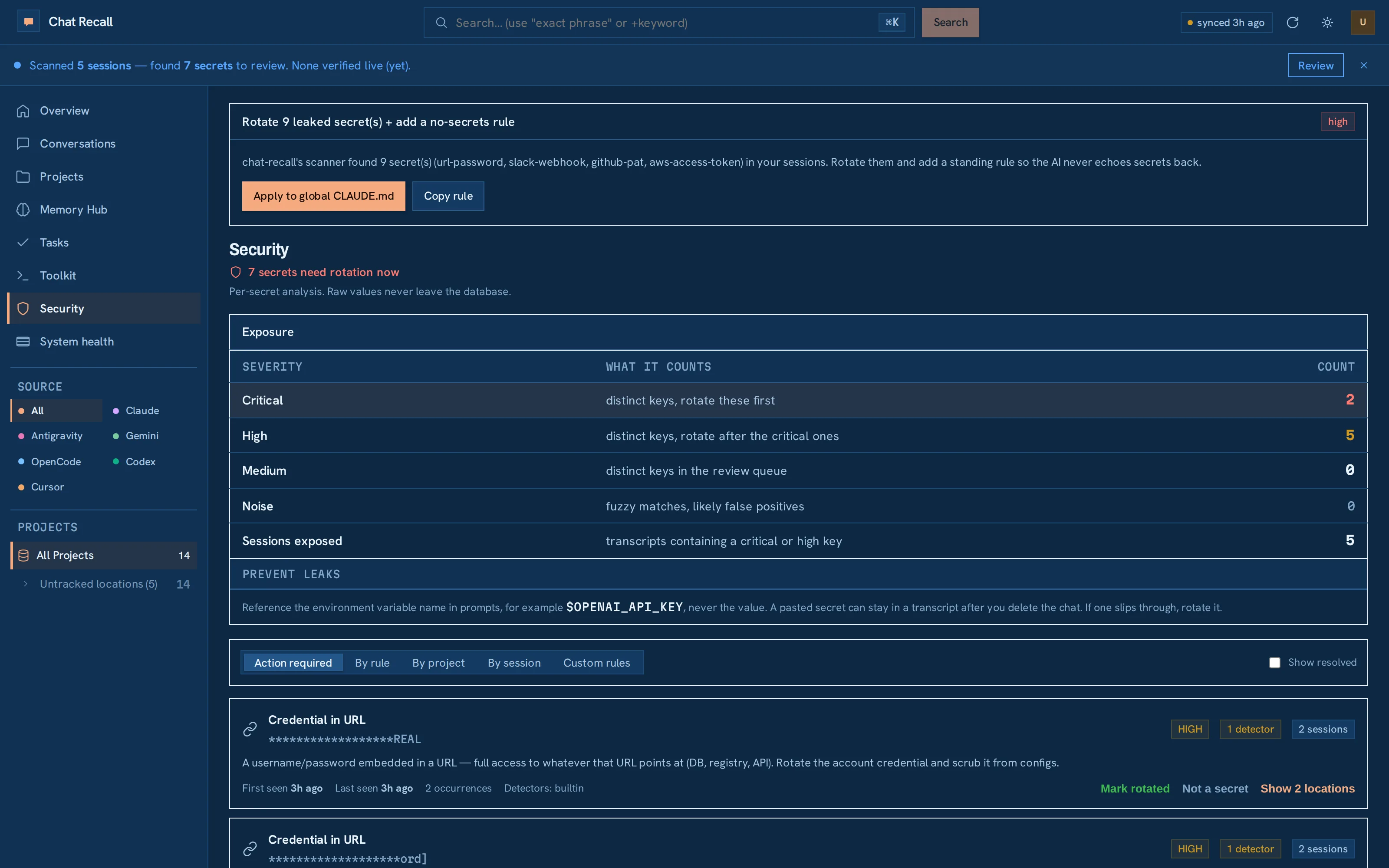
What it can miss
It knows the key formats the big services publish. If your company invented its own, tell us the pattern and it gets checked too.
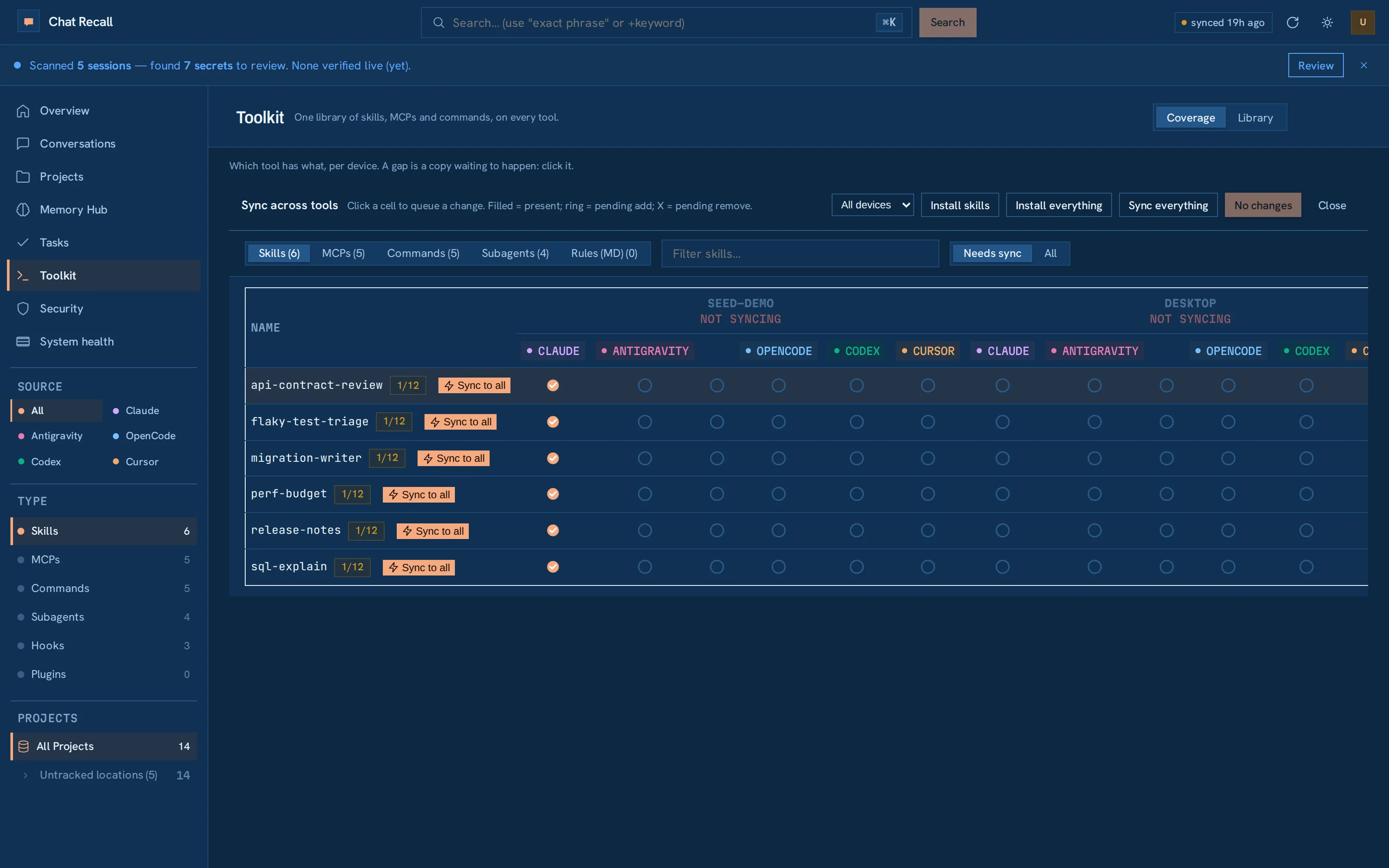
Same history, same tools, same rules everywhere.
Fig. 3 — your setup, everywhereFive assistants · two computers
A new laptop already knows everything
Sign in, and your whole history is right there. Nothing to copy over by hand.
Try a new assistant without starting over
Every add-on you've built up follows you to whichever assistant you pick up next.
Bugs turn into tasks on their own
Each one shows up with the fix already sketched out, and closes itself once the problem is actually gone.
Set the rules once, per project
Mark a project a prototype or a live product, and every assistant that opens it plays by the right rules.